Your pipeline stays current. Your agents stay informed. You stay building.
Right now, your pipeline moves when someone remembers to update it. Your agents work from meeting notes and deal names. You're the only one who knows what's actually happening.
Trusted by founders at AI-native B2B companies





What's still running on you
You're spending an hour a day being your own CRM
Before every call, you scroll back through the thread. After the call, you update the record, if you remember. Your AI tools work from what's written down. Everything else, they never see.
You're not there when deals go quiet
Deals go cold not because you forgot them. Because the follow-up window passed while you were shipping, and there was nothing in the system to catch it.
Your head is the only place the full picture exists
Right now, you're the one doing that job: reading everything, keeping track, connecting the pieces. And every time you step away from it, things slip.
The full picture your CRM has never had
Day AI reads every email, call, and Slack thread and builds the memory layer that connects them. It knows Sarah moved to a competitor. That the last renewal almost churned. That the follow-up window closes Friday. None of that lives in your head anymore.
What Day AI reads
- +
Your emails and calendar: Gmail, Google Calendar
- +
Your meeting recordings: recorded natively by Day AI, or imported from your existing recorder
- +
Your Slack conversations: public and private channels
- +
Your deals and contacts: generated from your email history, or imported from Notion, HubSpot, or Attio
What changes for you
- →
Follow-ups written before you open your laptop
- →
One thread across every call, email, and meeting
- →
A pipeline that reflects what actually happened, not what got logged
- →
Everything you need before every call, already there when you open it
Three jobs Day AI takes over in week one
01
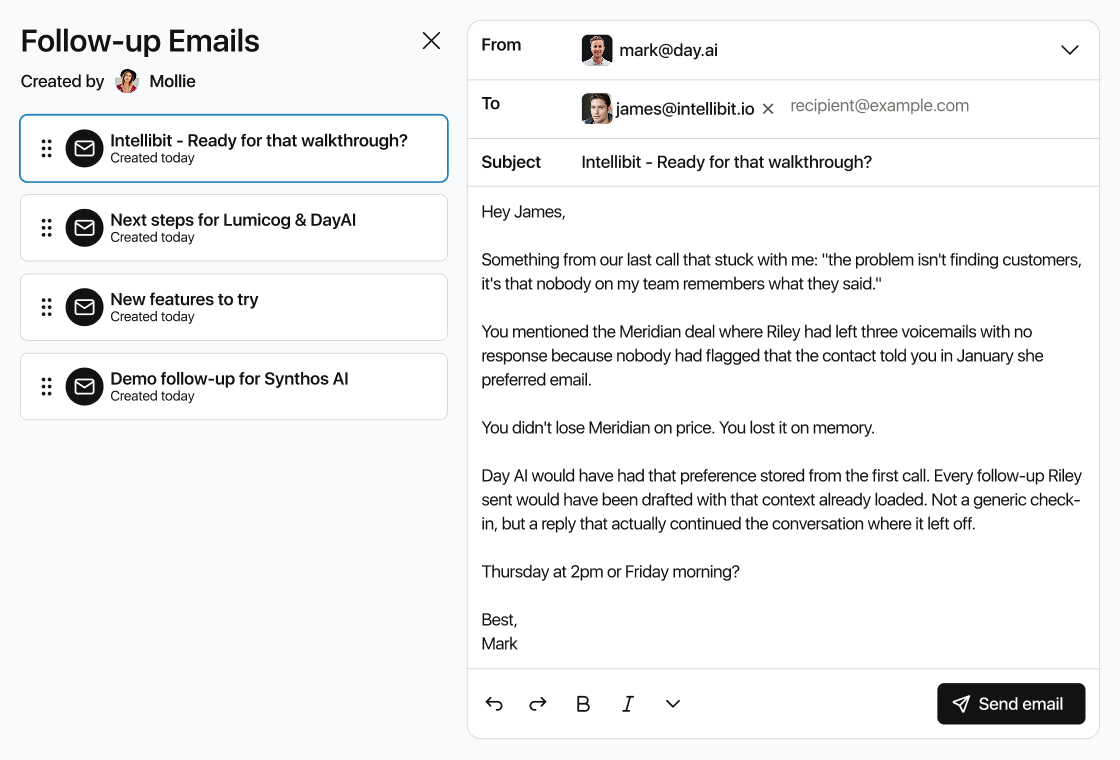
Day AI writes every follow-up for your approval
Day AI scans your entire pipeline overnight. By the time you open your laptop, there's a list of follow-ups waiting: each one a pre-written email with full context from every prior conversation.
You read, tweak if needed, and approve. Ten emails. Two minutes. Done.
02
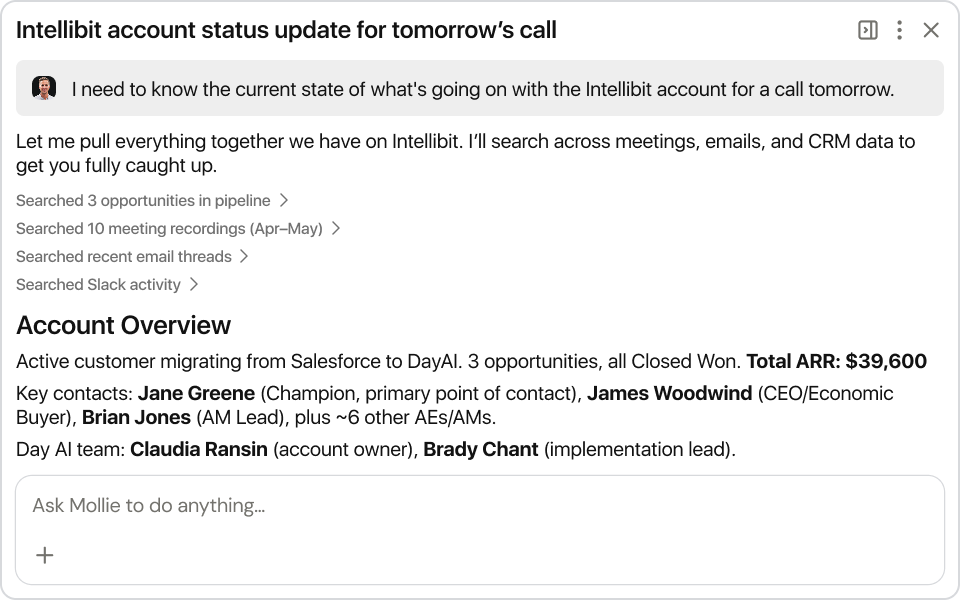
Day AI holds the thread across every call and email
Day AI records, transcribes, and remembers every meeting: not just the notes from one call, but the thread across all of them.
It knows what you promised three weeks ago. It knows who's waiting on a proposal. It knows when a prospect said “check back in June” and it will remind you in June.
03
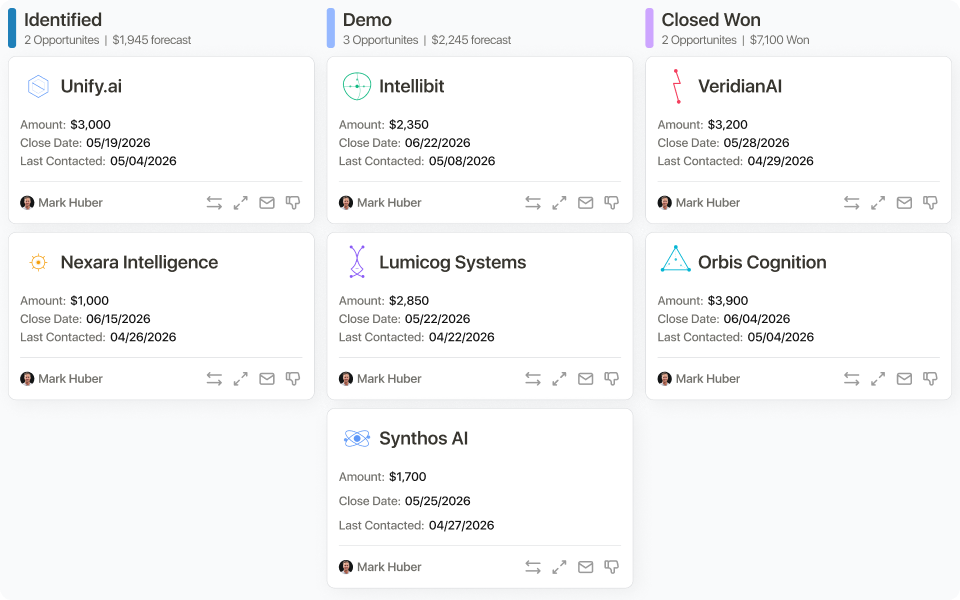
Day AI keeps the pipeline current without anyone logging anything
When a demo gets booked, the deal moves. When a proposal gets sent, the deal moves. When someone goes quiet for two weeks, you know about it.
No one has to remember to click a button. No one has to drag a card. Your reporting is accurate because the system is watching what actually happens: not waiting for a human to log it.
Connect your calendar, email, and Slack. Everything else runs from there.
Get startedThe ones who got tired of being smarter than their CRM
“It's like Cursor for CRM. Your team has thought about not just the user experience, but the agent experience. Clicking around in the UI in this day and age feels kind of barbaric.”

“I have 200 deals and following up through HubSpot still feels way too manual. I just wish I could log in and it says: here are all the messages you should send today. Approve, approve, approve.”

“You guys have built the best CRM, point blank. I tried all of them. Attio, Pipedrive. There was never anything I was excited to spend my day inside. Now I am, and it's making our entire business a lot better.”

Stop being the only one who knows what's actually happening.
Get started30-minute demo
See Day AI in action
We'll show you how Day AI works, walk through what it would mean for your specific setup, and give you a direct answer on whether it's the right fit.
What you'll see
- 01How customer memory builds itself from calls, emails, and threads without anyone logging anything
- 02What your agents do with that memory: the work they run, what they surface, and when
- 03How it fits your team's setup, and whether it's the right move