Integrations
Gong + Day AI
Every conversation your team has ever had — now part of the customer memory layer your agents draw from.
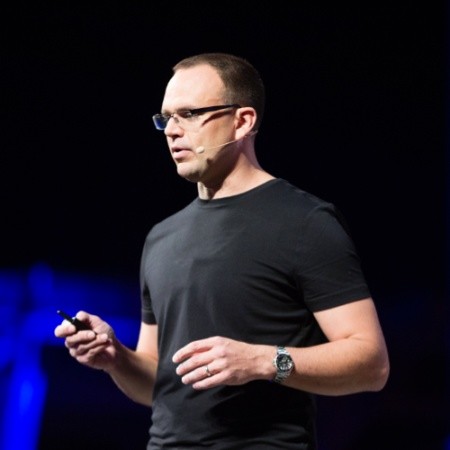
Christopher O'Donnell
Founder & CEO, Day AI
I built Day AI for founders who'd never had a CRM before. And those folks love it.
Plot twist.
We ran the Sean Ellis Product-Market Fit survey recently, and what we learned blew me away.
Our most devoted customers turned out to be companies with Gong and Salesforce already deployed.
The finding I couldn't stop thinking about: the larger the company, the more disappointed they'd be if Day AI went away.
This was always the plan, BUT — it wasn't supposed to happen this quickly.
When I was running product at HubSpot, I paid for part of our Gong subscription out of our Product budget. Because I wanted PMs making decisions from actual customer verbatims — the actual words, the actual moment someone said the thing that should change what you build next.
When I left and started Day AI, the first thing we built wasn't the CRM. It was a native meeting recorder. I already knew that data was the foundation everything else had to sit on, the ONE keystone to a killer Customer Memory layer for Agents.
So when scale-ups started showing up — companies that already had their whole stack — I wasn't surprised they needed this. Every agent they're deploying in 2026 needs a customer memory layer that goes deeper than a spreadsheet. Down to the actual word someone said and the moment they said it.
Those customers kept asking the same question: how do I get my Gong data into the memory layer my agents draw from?
Today we answered it.
One connection and every recording — including the full historical backfill — flows in as though you'd been using our native recorder from day one. Citations, video clips, all of it.
Here's how to get started.
Get started in under two minutes
Connect Gong to Your Workspace
- 1Open Workspace Settings
Navigate to your workspace settings by clicking the gear icon in the sidebar, or clicking on your workspace name.
- 2Go to Integrations
Click the "Integrations" tab in your workspace settings.
- 3Connect Gong
Find the Gong section and click "Connect". You'll be redirected to Gong's authorization page.
- 4Authorize Day AI
Sign in to your Gong account if prompted, then click "Allow" to grant Day AI read access to your call recordings and transcripts. Day AI requests read-only access — we never modify your Gong data.
Scopes granted: call recordings, transcripts, and media URLs (read-only).
- 5Wait for Sync
After authorization, Day AI begins syncing your entire Gong history automatically. The initial sync may take a few minutes depending on how many recordings you have. New calls sync automatically every 3 hours.
- 6Explore Your Recordings
Once synced, your Gong recordings appear in your Meetings view alongside any native Day AI recordings. Each recording includes the video, transcript, AI summary, and meeting notes. Recordings are automatically linked to the contacts and organizations who participated in each call.
Read-only access. Day AI syncs call metadata, transcripts, and media URLs. We never write to or modify your Gong account.
Need to disconnect? Go to Settings → Integrations → Gong → Disconnect. This removes the connection and deletes all synced Gong data from your workspace.
What flows into your customer memory
Full Historical Backfill
Connect once and every past Gong recording syncs automatically. No manual imports, no date-range filters — your entire call history becomes part of your customer memory.
AI Summaries & Meeting Notes
Each recording gets an AI-generated summary, meeting type classification, and structured meeting notes with key topics, action items, and follow-ups.
Citations & Video Clips
When Day AI's assistant references a conversation, it cites the exact moment — with a clickable video clip that jumps to the timestamp. Your team sees the actual words, not a paraphrase.
Linked to Contacts & Organizations
Every call is automatically linked to the contacts and organizations who participated. Your customer timeline gets richer with every conversation.
The customer memory layer your agents need
Every conversation synced from Gong becomes searchable, citable context that Day AI's agents draw from. Here's what that unlocks:
Prepare for meetings
Before a call, ask Day AI to brief you on everything this customer has said in previous conversations.
Draft follow-ups
After a call, Day AI drafts follow-up emails grounded in what was actually discussed — with citations.
Surface insights
Ask "what are customers saying about pricing?" and get answers grounded in actual verbatims, not CRM field data.
Track commitments
Action items and commitments are extracted and tracked across every conversation.
Ready to give your agents a memory?
Connect Gong and turn every conversation into context your agents can draw from.
Get started