How to connect Vasco to an AI agent: what GTM AI agents can do with Vasco in Day AI
Updated
The short answer. To connect Vasco to an AI agent, give the agent Vasco's MCP server through your company's own Vasco OAuth app, with each person signing in, so GTM AI agents, the layer of AI for GTM that acts on revenue data, can query reconciled revenue numbers in the same place they read every customer conversation. In Day AI, a workspace Owner saves the Vasco app once under Settings > Connectors, each person connects their own Vasco account, and their agent queries reconciled revenue data across accounts, contacts, pipeline and GTM metrics, whether you use Day AI in place of your CRM or on top of Salesforce or HubSpot.
Say you lead sales at a cybersecurity company, and it's 7:45 on Monday with the forecast call at nine. Over the weekend, Vasco shows your enterprise pipeline down by a chunk you can't place. You ask your Day AI agent what moved. It queries Vasco for the accounts whose pipeline changed since Friday, finds three, and reads each one's recent meetings and email. Two pushed after their buyers said on calls that budget moved to next year, and one has slipped and nobody has followed up. The agent lays that out in a short list, with the call or email behind each line, and offers to draft a note to the rep who owns the slipped deal. You approve the draft with one change and send it. At nine you explain the number instead of defending it.
Where the usual answer goes wrong. Revenue reporting usually stops at the number: pipeline is down, coverage is short, here's the chart. The question every leader asks next is why, and the answer is almost never in the revenue system. It's in what buyers said. Day AI treats the conversations as the record, and brings in Vasco's reconciled numbers as the agreed figure to explain. If your Monday routine is a dashboard and a round of Slack messages to reps, you're in good company, and you can have the reasons before the meeting instead.
Number, reason, action: Vasco with Day AI
Revenue data earns its place in a forecast call when each number carries a reason and a response. Work through them before the forecast call.
- Number: the figure everyone agrees on. Reconciled revenue data means the leader, RevOps and finance argue about the business, not the spreadsheet. In Day AI, your agent queries Vasco live for accounts, contacts, pipeline and GTM metrics.
- Reason: what customers said. A change in pipeline is a story about buyers. In Day AI, the agent reads the meetings, email and Slack threads on each account that moved and names the conversation behind the change.
- Action: what the team does next. A reason is useful only if someone acts on it. In Day AI, the agent drafts the note to the rep who owns the slipped deal, and it sits in your drafts until you send it.
How to connect Vasco to Day AI
Vasco is in beta in Day AI. A workspace Owner saves the shared app first, then each person connects.
Step 1: Register an OAuth client in Vasco for Day AI
In Vasco, copy the OAuth client ID your company will use for Day AI, and add https://day.ai/mcp-oauth-redirect as its redirect URL if Vasco asks for one. If Vasco gives you a client secret, keep that too; Day AI doesn't require one.
Step 2: Save the Vasco app in Day AI (workspace Owner)
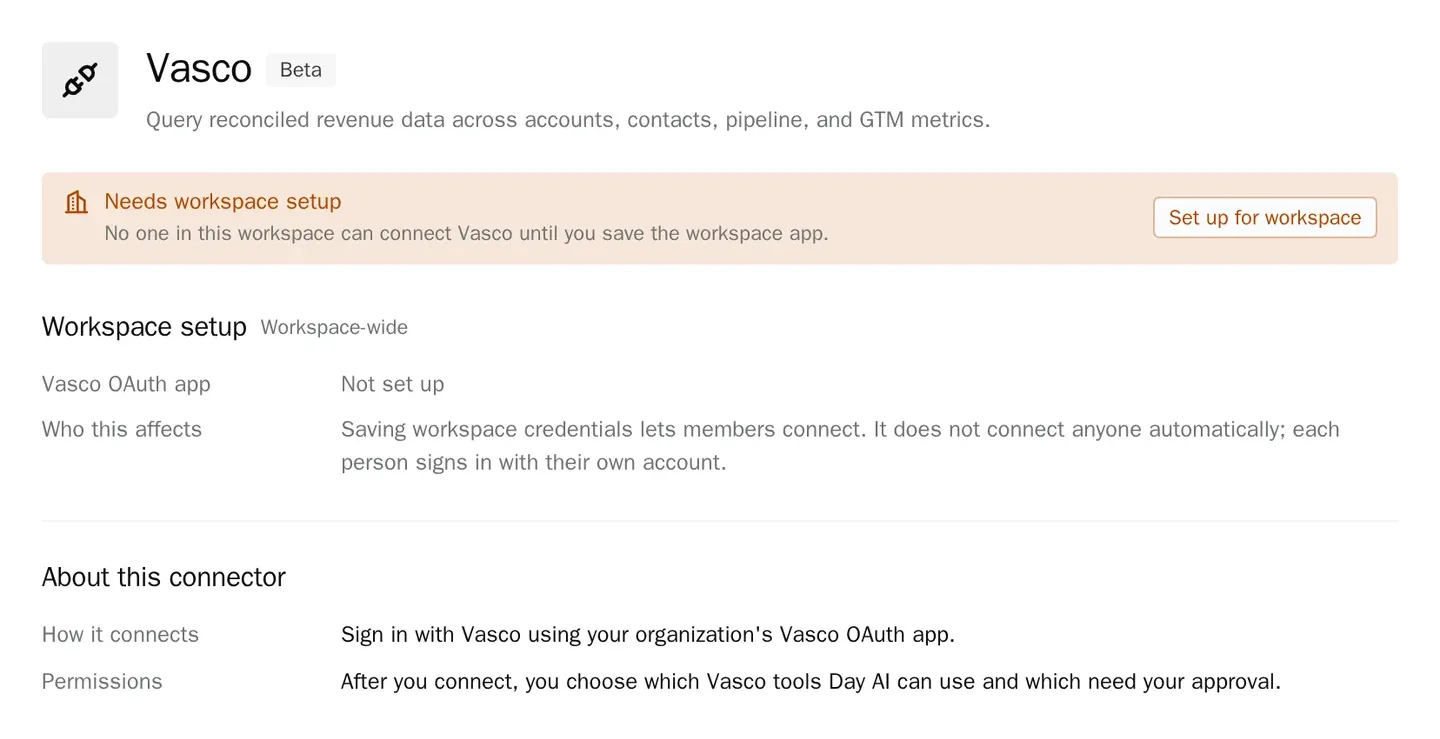
In Day AI, open Settings > Connectors, find Vasco, and choose Set up for workspace. Paste the client ID, add the client secret if you have one, and save. Until this is saved, Vasco shows Needs workspace setup to people who can configure it and Admin setup required to other members. Setup is available to anyone with permission to manage workspace settings, which is the Owner role by default.
Step 3: Each person connects their Vasco account in Day AI
Each person opens Settings > Connectors, finds Vasco, clicks Connect and signs in. The agent then works with that person's own Vasco access. Disconnecting one person's Vasco connection leaves everyone else's in place.
Step 4: Decide what Day AI may do in Vasco without asking
In the Vasco connector, Tool permissions lists each Vasco tool with Always allow, Needs approval or Off, and Set all changes a whole group at once. Vasco's query tools start at Always allow, so revenue lookups run mid-conversation. Set any tool you don't want your agent to use to Off.
Step 5: Ask your Day AI agent revenue questions with reasons
Ask "Which accounts lost pipeline since last week, and what did their buyers say?" or "Show pipeline and GTM metrics for the mid-market segment, and the accounts dragging them down." For a weekly view, ask the agent to create a skill, such as a Monday revenue brief, and select Vasco in the skill's Connectors picker; the skill uses its owner's Vasco connection. Vasco is one entry in every Day AI integration and connector, so the same brief can include your CRM and product data.
Where a revenue dashboard alone breaks
- It shows what, never why. A chart of pipeline change can't name the call where the budget moved. In Day AI, the agent reads the account's conversations next to Vasco's numbers.
- The why lives in reps' heads. Leaders chase each rep in Slack before the forecast call. In Day AI, the agent finds the reason in the meetings and email the rep already had.
- Follow-up depends on memory. A slipped deal spotted on Monday is forgotten by Wednesday. In Day AI, the agent drafts the note or creates a task in the same chat.
- Every team pulls its own version. Different exports give different numbers. In Day AI, every person's agent queries the same reconciled data in Vasco, live.