Introducing Campaigns
· Daphne Funston
Agents Running Outbound
You can now hand off your outbound campaigns to your Agent. Agents have tools to prospect the web to find new leads that match your ICP, or search your customer memory to re-engage lost deals, and run sequences for highly personalized, targeted outbound.
Click New Campaign on the Campaigns page, or ask your agent to set one up, and it walks you through setup in chat. Upload a CSV, pick people already in Customer Memory, or have your Agent use its leadfinding tools to find lookalike customers to your ICP.
You can customize the statuses for campaign members, outreach messaging, number of touches, cadence for the messages and when emails can send.
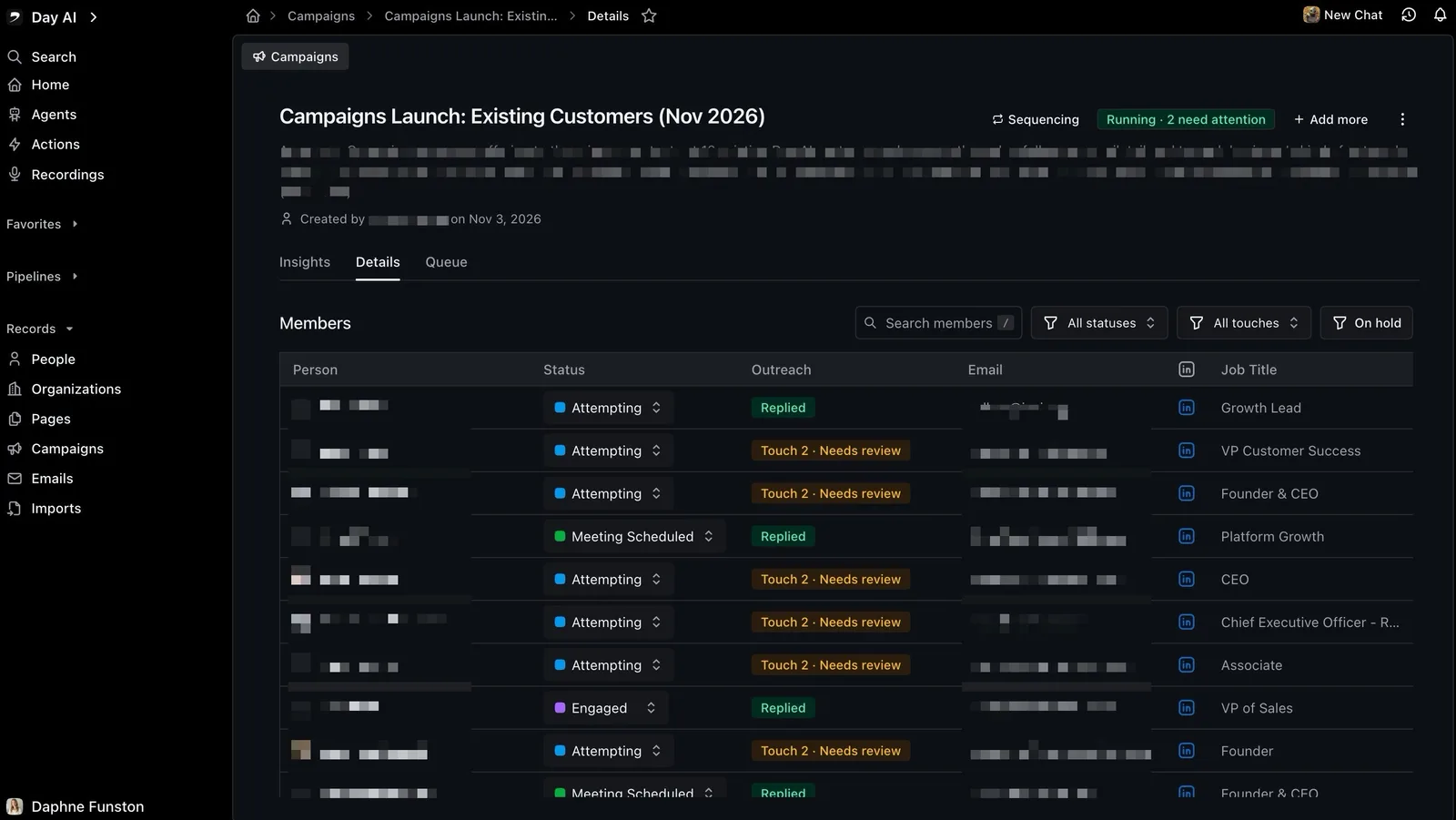
The agent drafts all the emails using customer memory, and third party data, to create highly personalized drafts. Drafts can be approved and sent one-by-one or in bulk. Each morning the bell tells you which campaigns have new drafts to review. Follow-ups stop when someone replies, unsubscribes or bounces. All touches, replies, and status changes are automatically tracked in the Insights tab of the Campaign.
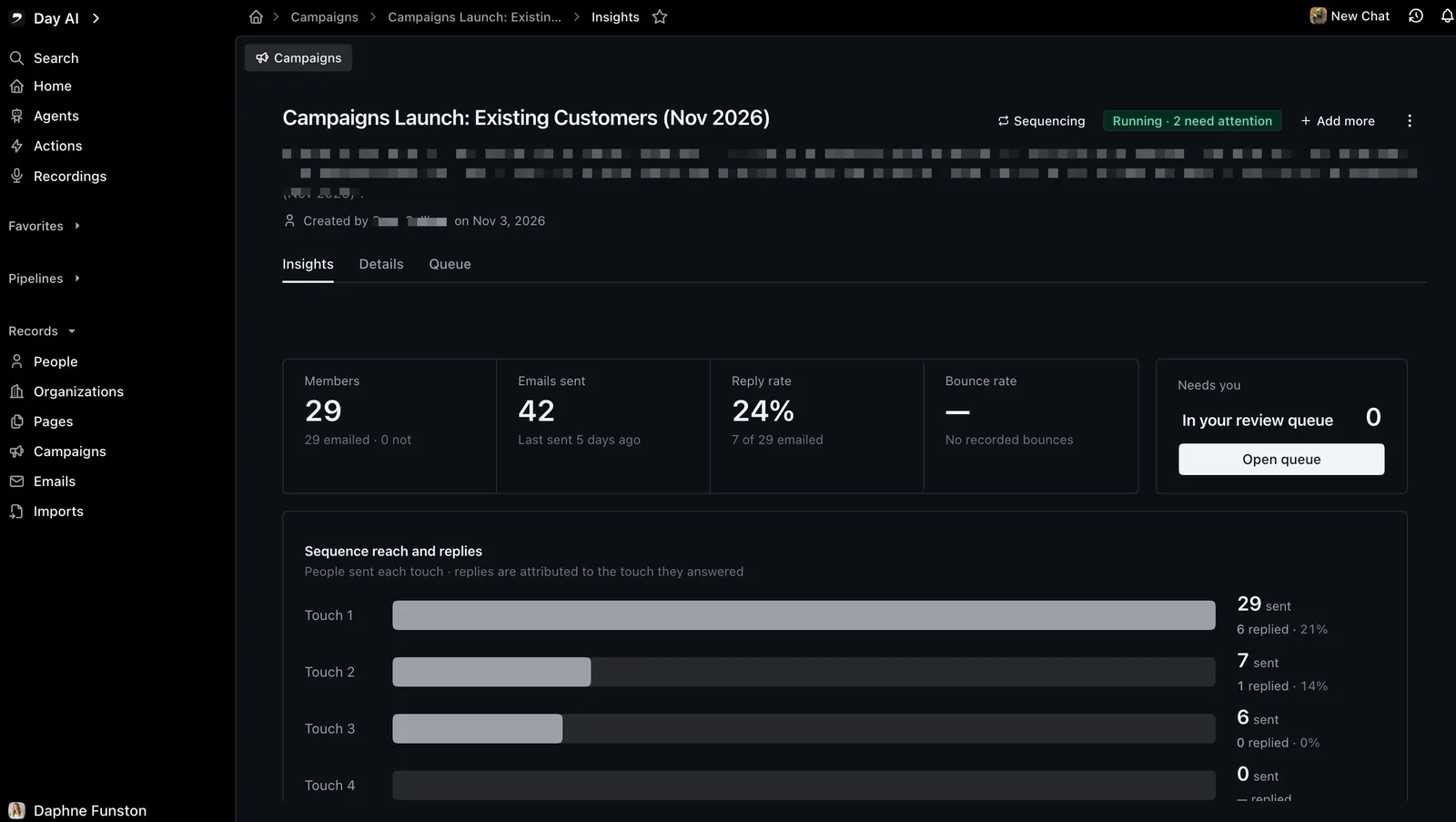
Creating a campaign takes an Executive or Super agent, while Professional agents can work a campaign they’re added to: drafting and sending emails. Executive can add people to a Campaign from a CSV or Custom Memory, Super adds Lead Finder, which prospects the web for net-new accounts from a natural language description.
Your Agent Can Run the Notetaker
Tell your agent "join my call now", "stop recording this call" or "don't record any of my meetings unless I ask" and it does it, the same as the buttons on Home. It can send the notetaker back in after it timed out in a waiting room, turn recording on or off for one meeting, and change your recording default for each connected calendar. If more than one meeting could fit, it asks which one first. It only works in your own chat, not from skills or scheduled runs.
Also shipped
Set a field on many records at once: Select records in a People, Organizations or Opportunities table and use Set field in the bulk panel to give one field the same value across your selection or every matching record. On an opportunities table, you can also move the selected opportunities to a stage in their pipeline.
Day AI on your phone: On a phone, a chat and the record or email beside it become two full-width pages you swipe between, under one top bar. Tap the title for that page's menu, or the ☰ button for the rest of the app.
Check your connectors from chat: Ask your agent to check your connectors and it looks at each connection live, picks up a connector you just connected in the same chat, and links you to Settings to finish any setup. It can also disconnect one of your own connectors once you approve it.