How to connect LeanScale to an AI agent: what GTM AI agents can do with LeanScale in Day AI
Updated
The short answer. To connect LeanScale to an AI agent, give the agent LeanScale's MCP server with your workspace's LeanScale API key, so GTM AI agents, the part of AI for GTM that answers "how should we run this?", can search proven playbooks and benchmarks while they read what's happening in your own pipeline. Day AI does this under Settings > Connectors: a workspace Owner saves one LeanScale API key under Set up for workspace, each person clicks Connect, and their agent uses LeanScale's MCP server to search GTM playbooks, benchmarks, field studies and operator interviews, whether you use Day AI in place of your CRM or on top of Salesforce or HubSpot.
Picture the evening before quarterly planning. You run RevOps at a security-software company, and your CRO has asked one question for tomorrow: should the SDR team keep booking meetings for every segment, or hand mid-market to AEs directly? You open Day AI and ask your agent. It starts with your own conversations: last quarter's lost mid-market deals, the calls where buyers said they'd already met someone else first, and the email threads where a handoff took a week. Then it searches LeanScale for playbooks, benchmarks and operator interviews on SDR coverage by segment. What comes back is a one-page memo: what your deals show, what LeanScale's research shows, and where the two agree. Every point says whether it came from LeanScale or from a call of yours. You cut one paragraph, add your recommendation, send it to the CRO before dinner, and ask the agent for a task to review last quarter's mid-market handoffs with your SDR lead. Tomorrow's debate starts from evidence, not from whoever talks first.
Where the usual answer goes wrong. Most GTM decisions get made from a benchmark report on one side of the screen and a gut feeling about your own pipeline on the other. The benchmark doesn't know your deals, and the gut feeling doesn't know the benchmark. Day AI reads your own lost deals and call notes first, then brings in LeanScale's research on the same question. If you already bookmark LeanScale playbooks for planning season, the agent now reads them against this quarter's pipeline.
The inside-out benchmark for LeanScale, with Day AI
Outside research is most useful after you've looked inside. Use this order for any GTM question.
- Inside: what your own deals say. Start with the calls, email and meetings where the question actually shows up. In Day AI, the agent reads your team's conversations and deals first and summarizes what they show.
- Outside: what operators and benchmarks say. Then bring in how other teams handle the same question. In Day AI, the agent searches LeanScale's playbooks, benchmarks, field studies and operator interviews for that question.
- Decide: write down the call and its sources. A decision nobody can trace gets reopened next quarter. In Day AI, the agent drafts the memo with each point marked by its source, and you edit and own the recommendation.
How to connect LeanScale to Day AI
Step 1: Save the LeanScale API key in Day AI (workspace Owner)
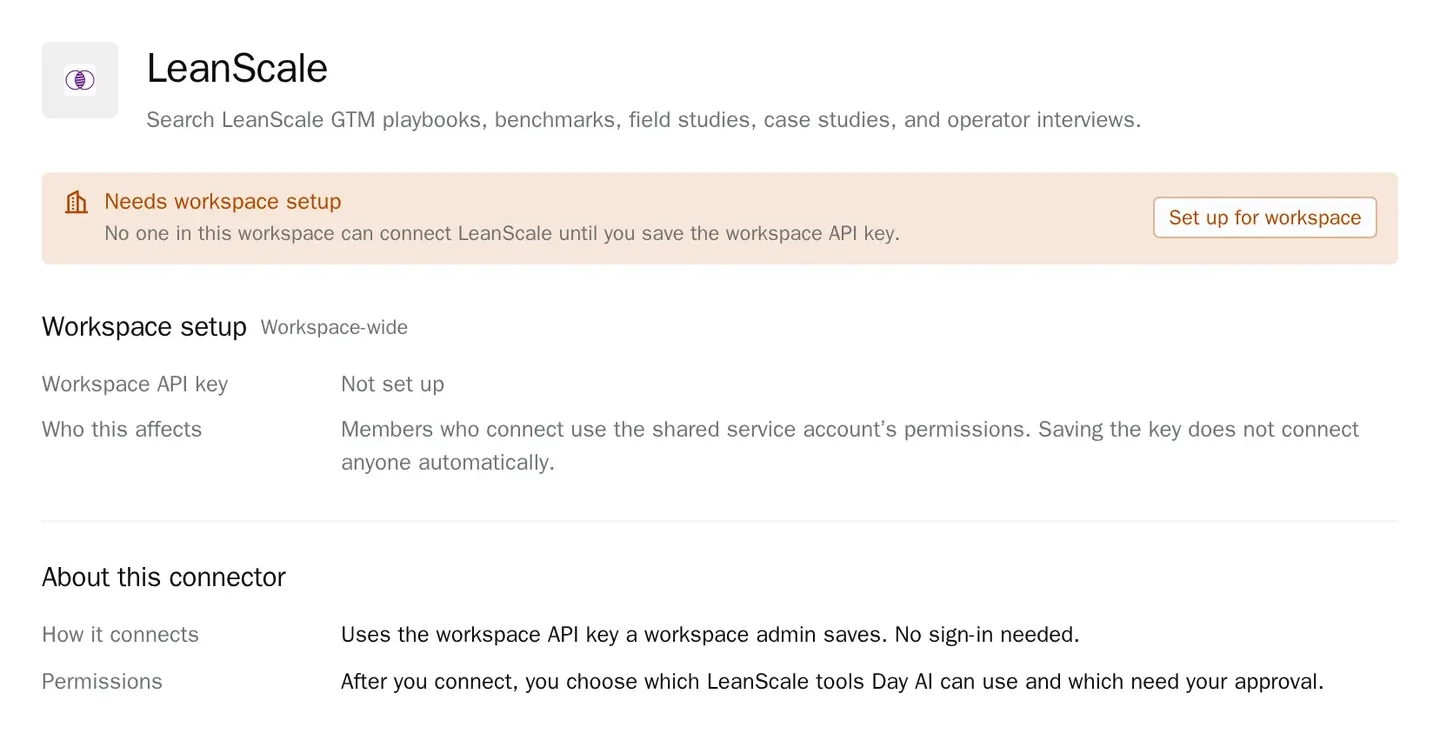
LeanScale uses one shared key for the workspace, so someone with permission to manage workspace settings, the Owner role by default, sets it up first. In Day AI, open Settings > Connectors, find LeanScale, and choose Set up for workspace. The dialog's Get a LeanScale API key link opens LeanScale's MCP access page; copy the key there, paste it into the dialog, and save. Until then, LeanScale shows Needs workspace setup to people who can configure it and Admin setup required to everyone else. Saving doesn't connect anyone automatically.
Step 2: Each person connects LeanScale in Day AI
Once the key is saved, each person opens Settings > Connectors, finds LeanScale, and clicks Connect. Everyone who connects uses the shared key's LeanScale access, so there's no separate LeanScale login per person. The Owner can use Replace in the connector's Workspace setup section to swap in a new key; Clear removes the setup and the connections that use it.
Step 3: Check LeanScale's tool permissions in Day AI
Because the key is shared, LeanScale's access is the same for everyone, but each person still picks Always allow, Needs approval or Off for each tool in their own agent's Tool permissions. LeanScale's tools only search research, so they start at Always allow, and a benchmark can land in the middle of an answer.
Step 4: Ask your Day AI agent a GTM question
Ask the question you'd bring to a planning meeting. "How do teams like ours structure SDR coverage by segment, and what do our lost mid-market deals say?" reads LeanScale and your pipeline together. "Find operator interviews on moving to usage-based renewals" searches LeanScale's interviews. "Compare our discovery calls this quarter with what LeanScale's playbooks say about discovery" puts their research next to your calls. If the answer points to work for someone, ask the agent to create a task for it.
Step 5: Bring LeanScale into a recurring Day AI review
Ask your agent for a monthly pipeline review that pairs each stalled deal with the matching LeanScale playbook, and have it save that as a skill with LeanScale chosen in its Connectors picker. The skill reads LeanScale through its agent owner's connection, so that person clicks Connect first; because the review only reads and reports, it lands each month without anyone asking. The rest of the tools your agent can reach are listed on every Day AI integration and connector.
Where benchmark-by-bookmark breaks
- The report doesn't know your deals. A benchmark tells you what's typical, not what's happening to you. In Day AI, the agent reads your own calls and deals before it brings in LeanScale's research.
- Advice gets quoted without a source. "I read somewhere that..." ends a planning debate badly. In Day AI, every point in the memo says whether it came from LeanScale or from your conversations.
- Only one person knows where the research is. The playbook links live in someone's bookmarks. In Day AI, anyone connected asks in plain words and the agent searches LeanScale for them.
- The question comes back next quarter. A decision without its evidence gets reargued. In Day AI, the memo the agent drafted keeps the sources with the decision.