Day AI's MCP Client, Agent Code Execution, Charts and more
· Daphne Funston
Bring Linear, Notion, and HubSpot into any chat
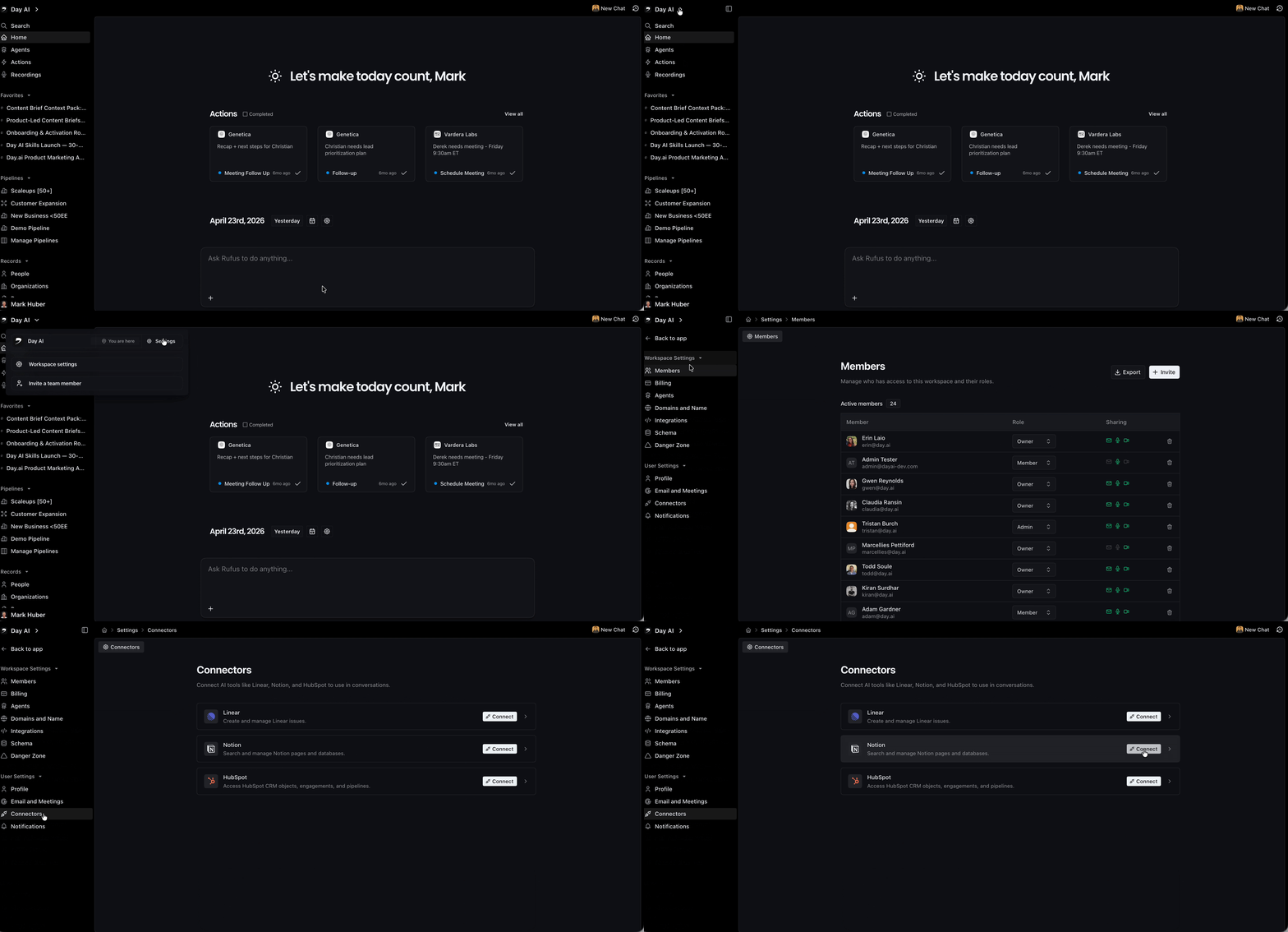
Connect Linear, Notion, or HubSpot to Day AI and your agent can pull from them and take action in them, right inside the conversation you're already having.
Prep for a call by grabbing a Notion doc. Turn a bug from a meeting into a Linear ticket. Pull in your active pipeline from HubSpot and plan a next step for each deal.
Day AI now works with more of the tools you already use. And we're going to keep rolling out connectors.
Set it up in Workspace Settings → User Settings → Connectors.
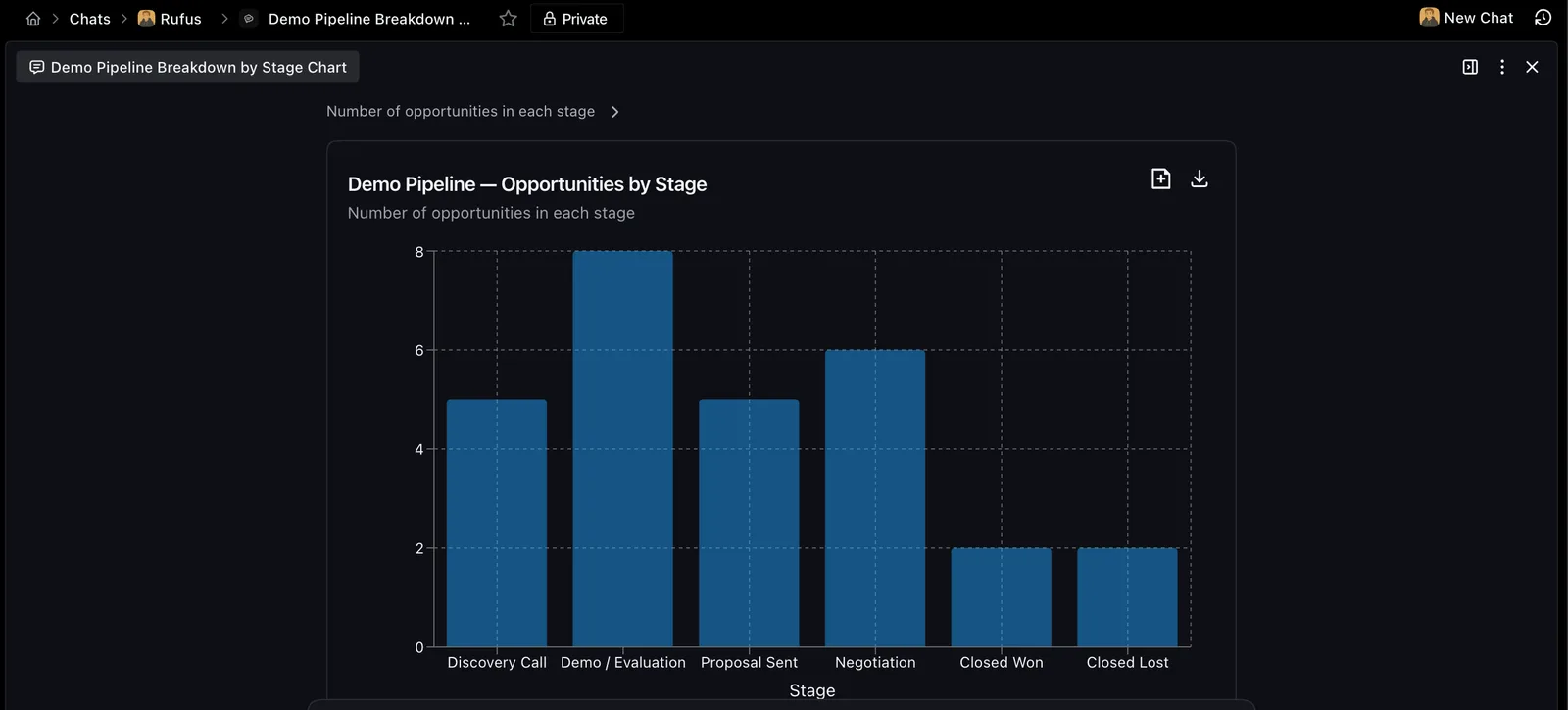
Ask a question. See a chart. Drill down into the numbers
The analysis is more accurate because your agent isn't doing the math itself anymore. It writes Python, runs it against your actual data, and builds the chart from real numbers.
No estimation, no inference. And if you want to go deeper, click into the chart and see the records behind it.
You can also add charts to a page and share them with your team.
Search that keeps up, and full transcripts
Search counts are now accurate across tens of thousands of records.
Before, search capped out around 10,000 results, which meant counts were wrong for larger workspaces. Long meetings used to get cut off at the transcript level.
Now you can ask your agent for the full thing and get the whole conversation, paginated from start to finish.
Also shipped this week:
- Admins can now set up and configure agents for their teammates directly, from a new Agents tab in Workspace Settings
- Delete email drafts one by one or in bulk
- Every new agent now comes with a Morning Briefing skill out of the box, no setup needed